Rewyvo
Clip your best plays.
Keep your FPS.
Records quietly in the background. Press one key and the last minutes are saved, without an account, ads or uploads.
Download for WindowsRewyvo is a Windows PC app — send yourself the link for later.
Email me the linkCopy link: ipostournaments.com/rewyvo
// how it works
Three steps. No setup headache.
Rewyvo spots your game by itself and keeps a rolling recording on your PC. Nothing is saved until you want it.
- InstallOne small installer. It sets itself up in about a minute and keeps itself updated.
- PlayLaunch your game as usual. Rewyvo records quietly in the background.
- Press F8The last few minutes are saved as a clip, game sound, voice chat and mic included.
// features
Everything you need. Nothing slowing you down.
Built to be the lightest clipper on your PC, with the editing tools you'd expect.
One-key clips
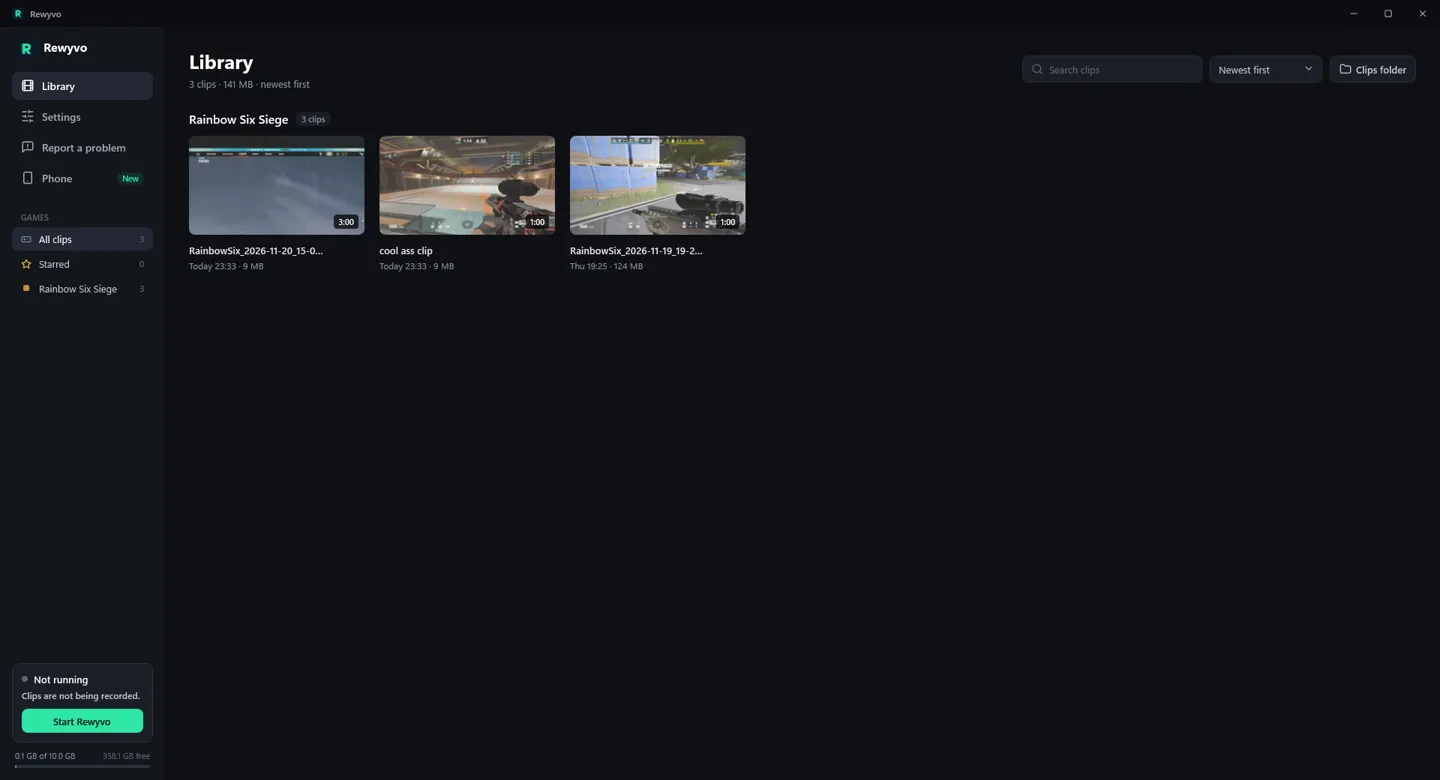
Press F8 (or any key you like) to save the last minutes. A sound and a small note tell you it worked.
Clip editor
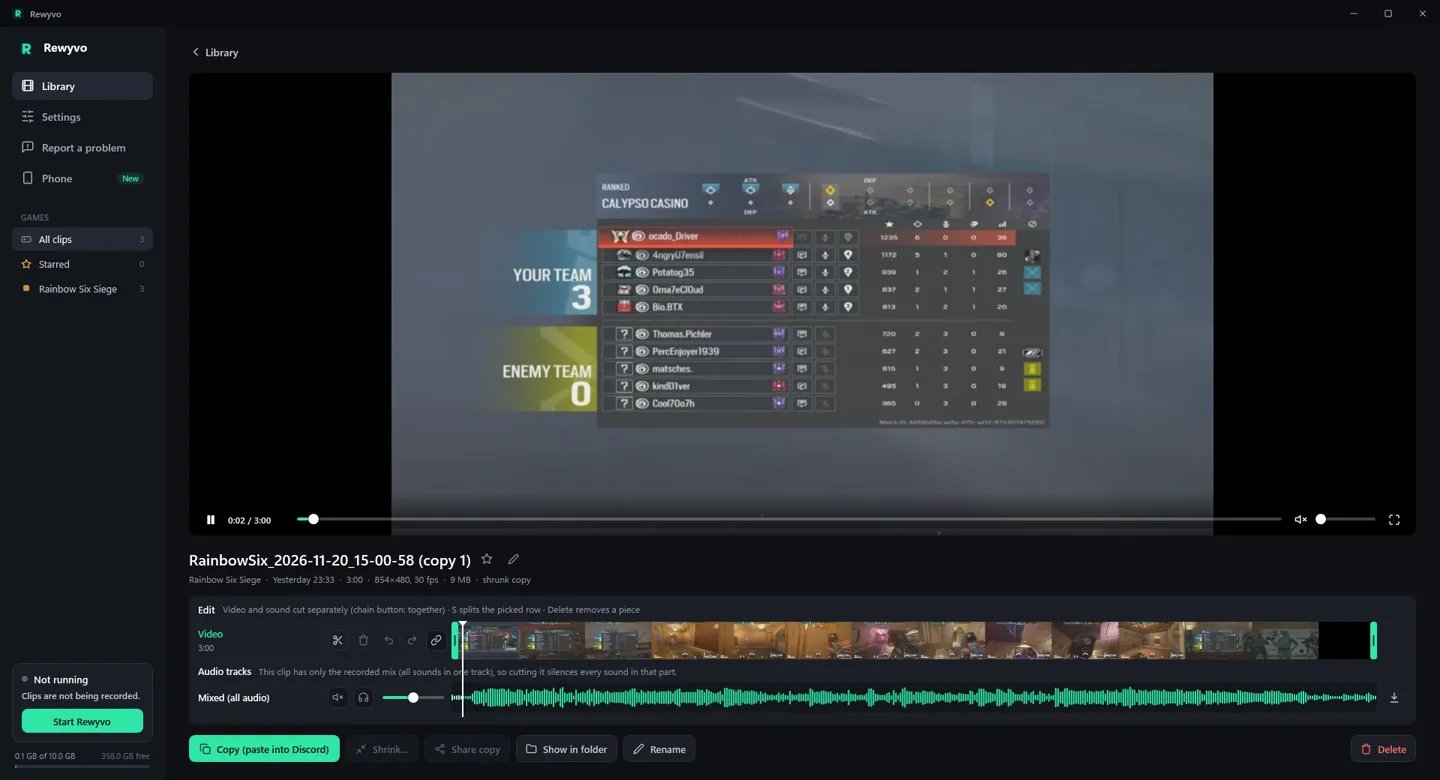
Trim with handles, split anywhere, cut video and sound separately, and undo or redo every step.
Separate audio tracks
Game, voice chat and mic on their own tracks, so you can mute your mic or turn friends down later.
Shrink for Discord
One click makes a smaller copy that fits Discord's 10 MB limit, and Copy pastes it straight into chat.
Clips stay on your PC
No account, no cloud, no ads. Rewyvo never uploads your clips or watches what you type.
Safe with anti-cheat
Rewyvo never injects into, hooks or reads a game. It records the screen the same way Windows does.
// rewyvo on your phone
Your clips on your phone, no cloud.
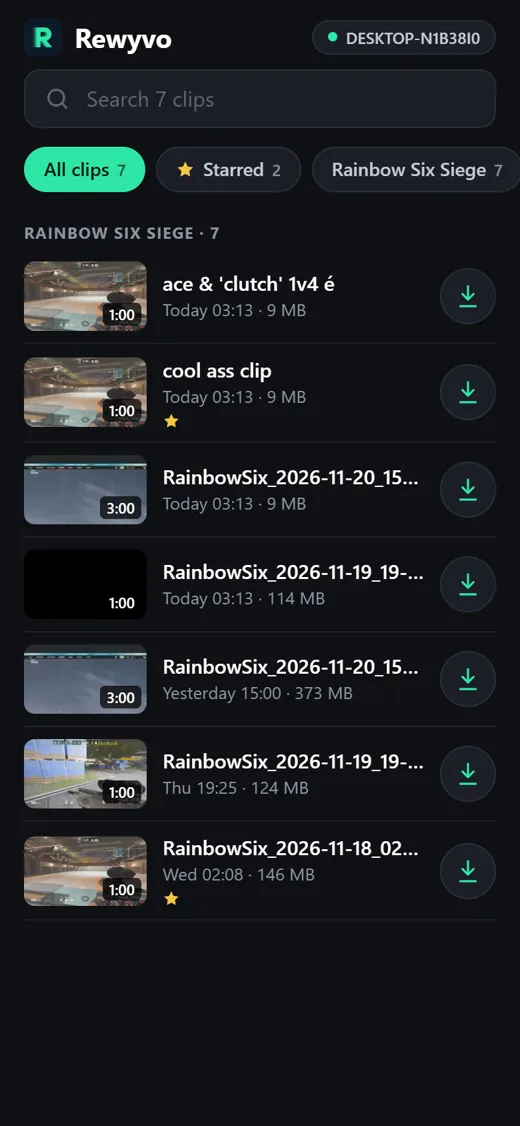
Press Phone in Rewyvo, scan the QR code with your phone's camera, and every clip is there to watch or save.
- Works on iPhone and Android, nothing to install.
- Straight from your PC over your home Wi-Fi. Clips never touch the internet.
- You approve every phone on your PC, and sharing switches itself off when you stop using it.
- Save straight to Photos on iPhone, one tap after a one-minute setup.
// benchmark
Lighter than Medal, measured.
We ran Rainbow Six Siege with nothing recording, with Rewyvo, and with Medal, at the same settings. Every recorder costs a few FPS to capture the screen; Rewyvo does that same job with less.
Rainbow Six Siege, Ryzen 5 3500X + RTX 3050, 1080p 60 fps, same route, 3 runs each, 22 Nov 2026. Average FPS with nothing recording: 119.1. Rewyvo's RAM is measured with its window closed, as while gaming. 1% lows (stutter): Rewyvo 93.9 FPS, Medal 92.0 FPS. Your numbers will vary with your PC and game.
// questions
Good to know
Windows says "Windows protected your PC". Is it safe?
Yes. Windows shows that blue box for apps that aren't code-signed yet (a paid certificate). Click More info, then Run anyway. Rewyvo's own updates are signed and checked before they install, and nothing is sent anywhere without you choosing to.
Is it really free?
Yes, completely: no account, no ads, no paid tier, and no watermark on your own clips. Copies you shrink to share get a small "Clipped with Rewyvo" tag, which you can switch off in Settings.
Will it get me banned?
Rewyvo never injects into, hooks or reads the memory of any game. It captures the screen through Windows, the same way the built-in Game Bar does.
Where are my clips saved?
On your PC, in a folder you choose. Rewyvo has no cloud and never uploads anything. You decide where your clips go.
What do I need?
Windows 10 or 11 (64-bit). Rewyvo uses your graphics card's built-in video encoder (NVIDIA, AMD or Intel) so recording stays light on your CPU.
Something isn't working?
Use Report a problem inside Rewyvo, or email iposbots@proton.me.
Ready to clip?
Free for Windows. Set up in a minute, then just play.
Download for WindowsRewyvo is a Windows PC app — send yourself the link for later.
Email me the linkCopy link: ipostournaments.com/rewyvo